


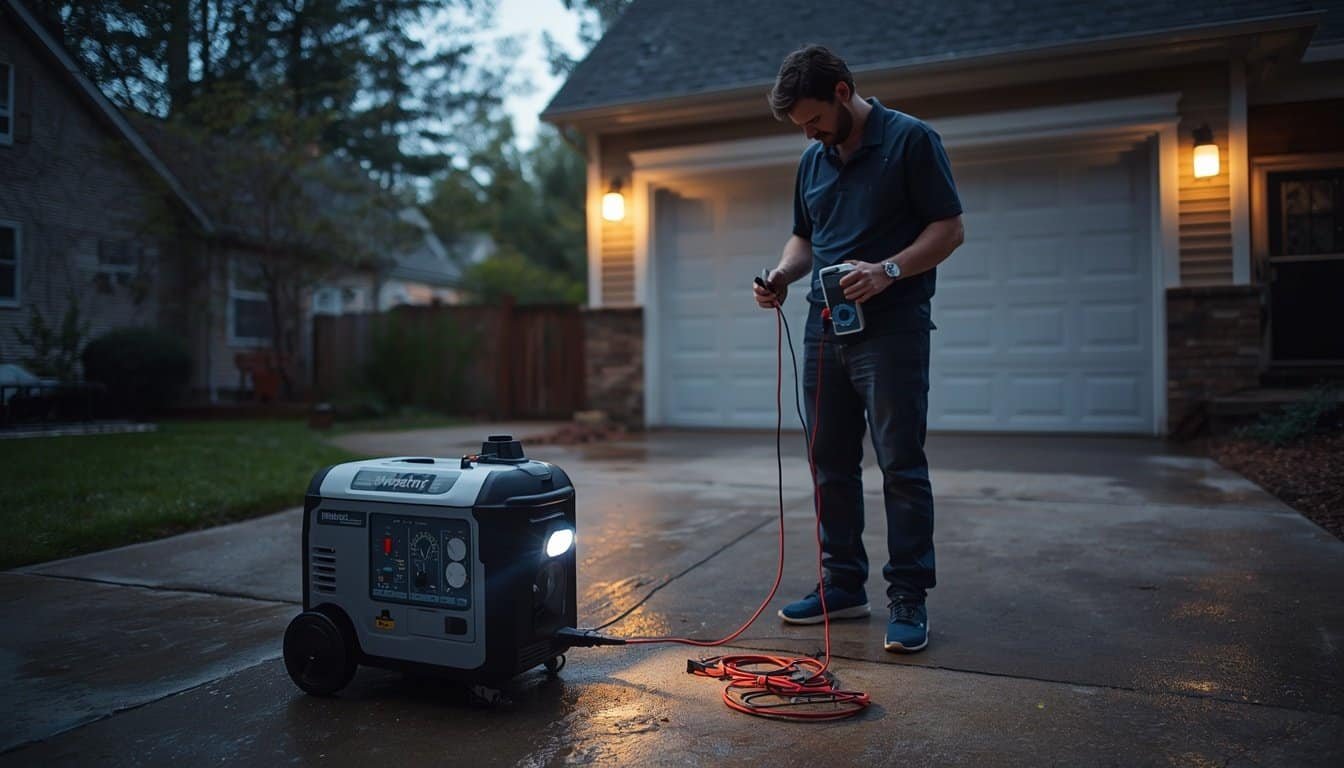
A generator AVR problem can be confusing because the engine may sound normal while the power coming out of the generator is not stable enough for appliances or electronics. Lights may pulse, chargers may disconnect, a refrigerator may struggle, or a meter may show voltage that is too high, too low, or inconsistent.
An automatic voltage regulator, often called an AVR, helps control generator output voltage. When the AVR, brushes, wiring, alternator components, or related control parts are not working correctly, the generator may produce unstable or unsafe voltage. The safest response is to recognize the symptoms early, disconnect sensitive loads, and shut the generator down instead of repeatedly testing appliances.
What the AVR Does in a Portable Generator
The AVR is part of the generator’s voltage-control system. Its job is to help keep output voltage within a usable range as the generator runs and loads change. Without stable voltage, appliances may struggle, electronics may reset, and motors may run hotter than they should.
A generator does not face the same load every second. A refrigerator compressor may start, a sump pump may cycle, a charger may connect, or a fan may switch speeds. The voltage-control system helps the generator respond to those changes. When that system cannot respond properly, the symptoms may look like weak power, surging power, or appliance misbehavior.
AVR problems are only one possible cause of unstable power. Overload, undersized cords, poor fuel delivery, engine speed problems, worn brushes, damaged outlets, loose connections, and failing appliances can create similar symptoms. That is why this article focuses on clues and safe next steps, not a quick diagnosis.
Common Generator AVR Problem Symptoms
Possible AVR-related symptoms include lights that pulse or surge, voltage that reads unusually high or low, appliances that behave differently from one moment to the next, UPS units clicking or alarming, chargers disconnecting, electronics rebooting, or motors sounding strained even under a reasonable load.
Some symptoms appear only when a load changes. For example, the generator may seem stable with a small lamp, then voltage may swing when a refrigerator or pump starts. Other symptoms may appear even with very light loads, which can point more strongly toward a generator output or regulation problem.
Before assuming the AVR has failed, compare the symptom with the broader generator troubleshooting path in Generator Problems Explained. The same symptom can come from load size, cord distance, fuel condition, transfer equipment, or appliance startup demand.
High Voltage Is a Stop-Using Warning Sign
High voltage is one of the clearest reasons to stop using a generator. If a reliable meter shows voltage well above the expected range, or if lights become unusually bright, bulbs fail, electronics reset, or devices behave aggressively when connected, do not keep testing household equipment.
High voltage can stress power supplies, chargers, appliances, and electronics. Even if a device seems to survive one short test, repeated exposure may shorten its life or damage components. Sensitive electronics should be disconnected until the generator output is confirmed stable by someone qualified to evaluate it.
If high voltage is suspected, shut down the generator if it is safe to do so and stop using it for household loads. This is not a load-rotation problem or a “try a different outlet” problem. It is a condition that deserves service or professional evaluation.
Low Voltage Can Damage Motors and Appliances
Low voltage can be just as concerning as high voltage, especially for motor-driven equipment. A refrigerator, freezer, sump pump, furnace blower, well pump, or fan may hum, start slowly, run hot, or fail to start cleanly when voltage is too low. Letting a motor struggle can create heat and equipment stress.
Low voltage does not always mean the AVR is bad. It may be caused by overload, a long or undersized extension cord, several motors starting at once, fuel issues, or a generator operating beyond its practical capacity. The key is not to force the appliance to keep trying.
If lights dim heavily or motors sound weak when loads start, compare that symptom with Why Lights Dim When High-Load Devices Start. If the problem is severe, repeated, or present under light loads, stop using the generator until the cause is clearer.
Unstable Voltage Can Be Worse Than One Bad Reading
Sometimes the problem is not simply “too high” or “too low.” The voltage may wander up and down, spike when a load disconnects, sag when a motor starts, or fluctuate even when nothing obvious changes. That kind of instability can be hard on electronics and confusing for homeowners.
Unstable voltage may point to AVR trouble, but it can also involve engine speed, fuel delivery, governor behavior, worn brushes, alternator issues, loose connections, or a load that is cycling on and off. If the generator engine is surging at the same time the lights are pulsing, the voltage problem may be tied to engine behavior rather than the AVR alone.
The safest approach is to simplify the setup. Disconnect sensitive electronics, remove unnecessary loads, and observe whether the generator stabilizes with a small basic load. If voltage still appears unstable under a simple load, stop using the generator and seek service.
Electronics Often Reveal AVR Problems First
Electronics may react to unstable power before larger appliances seem affected. Routers rebooting, UPS units clicking, battery chargers cycling, LED lights pulsing, televisions flickering, computers restarting, or smart devices dropping offline can all point to power-quality trouble.
That does not prove the AVR is the only problem, but it does tell you the generator setup is not behaving like clean utility power. Sensitive electronics should not be used as the diagnostic tool. They should be protected while the generator setup is evaluated.
For a deeper look at why these symptoms matter, use Why Generator Power Problems Can Damage Electronics. AVR trouble is one possible reason generator power becomes risky for electronics, but it is not the only one.
Check the Easy External Causes First
Before deciding the AVR has failed, check the simple external causes that can mimic voltage-regulator trouble. Reduce the load, unplug high-demand appliances, remove sensitive electronics, use one known simple load, and confirm that the cord is heavy-duty, outdoor-rated, undamaged, and properly sized for the distance.
Also check whether the generator is running smoothly. Old fuel, low oil, clogged filters, bad spark plugs, propane supply issues, or poor engine speed control can all affect output stability. If the engine speed rises and falls, the voltage may rise and fall with it.
These checks should not involve opening electrical covers or touching internal wiring. They are basic setup checks from outside the generator. If the output remains unstable after the setup is simplified, the generator likely needs qualified service.
Use a Meter Only If You Know How to Use It Safely
A multimeter can help confirm whether voltage is in the expected range, but it can also create risk if used incorrectly. Testing live electrical output requires the correct meter setting, proper probes, dry conditions, steady hands, and a clear understanding of what you are measuring.
Do not test generator output in rain, near puddles, with damaged cords, while standing on wet ground, or at a panel or transfer setup you do not understand. Do not insert probes into unfamiliar connectors or remove covers to reach internal parts. If you are not comfortable using a meter safely, do not make the outage your practice session.
A basic plug-in voltage display or outlet tester may provide a rough indication for some setups, but it is not a full generator diagnostic tool. If readings look abnormal, the safest conclusion is not to adjust the generator internally. It is to stop using the generator and get service.
Do Not Adjust the AVR During an Outage
Some generators have internal adjustment points or service procedures related to voltage output. That does not mean a homeowner should adjust them during an outage. Turning an internal adjustment without understanding the generator, load condition, meter accuracy, and service procedure can make voltage problems worse.
AVR replacement or adjustment may require removing covers, working near live parts, checking brushes, inspecting windings, and following a service manual. That is not the same as checking fuel, oil, or a breaker. If the generator is under warranty, improper adjustment may also create warranty problems.
If voltage is abnormal, disconnect loads and stop using the generator. Arrange service after the immediate outage need is handled, or use a different safe backup option if one is available.
Know When AVR Symptoms Are Actually Overload Symptoms
Overload can look like AVR trouble because voltage may sag when too much is connected. A refrigerator, pump, microwave, heater, or air conditioner can create a large startup demand. If several of those loads overlap, the generator may stumble even if the AVR is working normally.
The clue is timing. If voltage looks fine under a small load but drops sharply only when a specific appliance starts, load size or startup surge may be the main issue. If voltage is erratic even with a small simple load, the generator itself becomes more suspect.
Try reducing the load and using a simple priority plan. If the problem disappears when the load is reduced, the generator may need better load management rather than AVR repair. If the problem remains under light load, stop and get the generator checked.
Shut Down for These AVR-Related Warning Signs
Shut the generator down if voltage appears very high, very low, or unstable; lights become unusually bright or pulse heavily; electronics reset repeatedly; a motor hums without starting; plugs or cords heat up; breakers trip repeatedly; the engine surges under light load; or a burning smell appears.
Also stop if the generator is in an unsafe location, the weather has made the setup wet, or troubleshooting would require touching house wiring, transfer equipment, internal generator parts, or electrical panels. AVR symptoms do not justify unsafe testing.
If you need a broader stop-use checklist, review When to Stop Using a Generator. Voltage-regulator symptoms belong in the same risk category as other warning signs that can damage equipment or create safety hazards.
Protect the Household While the Generator Is Out of Service
If you stop using a generator because of suspected AVR trouble, shift to the safest remaining options. Preserve refrigerator and freezer cold by keeping doors closed, use battery power for phones and medical alerts, move people to a cooler or warmer location if needed, and avoid running questionable generator power into sensitive equipment.
If medical devices, oxygen equipment, medication refrigeration, sump pumps, or well pumps depend on generator power, act early. Do not wait until the device fails or the basement floods before seeking a powered location, backup equipment, or professional help.
A generator that cannot produce stable voltage is not a reliable safety layer. Treat it as unavailable until repaired, and use the rest of the outage plan accordingly.
FAQ
What are common generator AVR problem symptoms?
Common symptoms include unstable voltage, unusually bright or dim lights, pulsing lights, electronics rebooting, chargers disconnecting, UPS alarms, motors sounding weak, and appliances behaving inconsistently even under reasonable loads.
Can a bad AVR damage electronics?
Yes. If an AVR or related voltage-control problem allows voltage to become too high, too low, or unstable, sensitive electronics and power supplies may be damaged. Disconnect electronics until the generator output is confirmed stable.
Does low voltage always mean the AVR is bad?
No. Low voltage can also come from overload, undersized cords, long cord runs, motor startup surge, engine speed problems, fuel issues, or a failing appliance. Reduce the load and check simple external causes before assuming AVR failure.
Should I adjust the AVR myself?
Not during an outage unless you are qualified and following the correct service procedure. Internal voltage adjustment or AVR repair can create electrical hazards and may make the problem worse if done incorrectly.
Conclusion
Generator AVR problems are really voltage-control problems. The engine may run, but the output may be too high, too low, or unstable for appliances and electronics. Symptoms such as pulsing lights, rebooting electronics, weak motors, and abnormal meter readings should be treated as warnings, not invitations to keep testing.
Start with safe external checks: reduce the load, remove sensitive electronics, inspect cords from a dry location, and observe whether the generator stabilizes with a simple load. If voltage remains abnormal, shut the generator down and get qualified service. During an outage, stable power matters more than squeezing one more risky test out of a generator that may not be regulating correctly.