


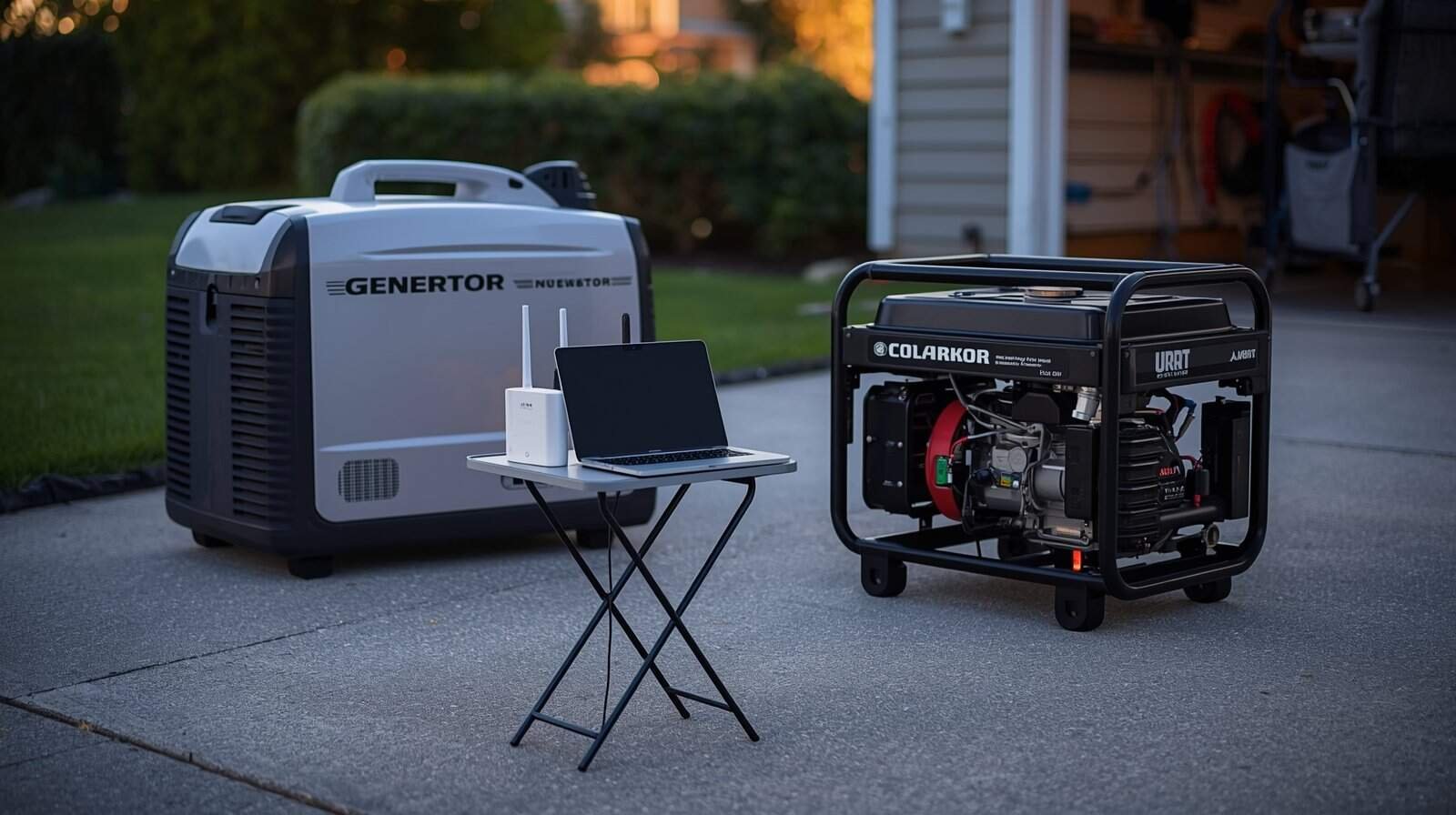
Short answer: Inverter generators are often friendlier for sensitive electronics because they typically produce steadier output under changing loads. But generator type is not the whole story. Cord losses, overload, wet connections, poor load timing, and unstable voltage can still damage electronics — even with an inverter generator.
If you have ever seen advice like “always use an inverter generator for electronics,” it comes from a real idea: electronics prefer steady voltage and a stable 60 Hz rhythm. The problem is that people sometimes take the slogan too literally. They buy an inverter generator, then run long thin cords, overload it, or operate in wet conditions — and wonder why devices still reset, buzz, or fail over time.
This guide explains what actually matters when comparing inverter vs conventional generators for electronics — without brand hype — and how to recognize when any generator setup is behaving in an unsafe way.
What “Clean Power” Really Means (In Plain English)
Electronics care about two things more than marketing labels: voltage stability, which is how steady the electrical “pressure” is, and frequency stability, which is how steady the 60 Hz rhythm is. When either drifts, electronics can overheat internally, reset, alarm, or fail gradually — even if the generator sounds fine.
If you want the foundation for these concepts and why they matter, start with the hub article: Generator Power Quality Explained: Voltage, Frequency, and Why Electronics Get Damaged.
What Makes an Inverter Generator Different
An inverter generator does not just “make AC power and send it out.” In simple terms, it creates electricity, converts it, and then electronically shapes the output into a more controlled waveform. That extra control is why inverter generators are commonly described as producing “cleaner” power.
In real life, this often shows up as:
- Less flicker when loads change
- Better behavior with sensitive chargers and electronics
- Smoother response when small devices are connected
- Quieter operation at lighter loads on many models
That said, “often better” is not “always safe.” You can still create unstable power behavior with an inverter generator if you push it near capacity, start large loads at the wrong time, or introduce big voltage drops through cords.
What Makes a Conventional Generator Different
A conventional open-frame generator typically produces AC power more directly from the alternator. The steadiness of that output depends heavily on engine speed regulation, alternator design, voltage regulation, and how smoothly the generator responds when loads switch on and off.
Many conventional generators can run plenty of household loads safely. The difference is that sensitive electronics may notice instability sooner — especially when large motors start, loads are irregular, or the generator is operating in a stressed zone.
This does not automatically make conventional generators “bad for electronics.” It means you should pay closer attention to setup choices, load control, cord sizing, and warning signs.
Why Setup Often Matters More Than Generator Type
Most electronics problems blamed on “dirty power” come from predictable setup conditions — things a homeowner can often control without any repairs or advanced testing.
Long or undersized extension cords
Thin cords and long runs create voltage drop. Voltage drop is one of the fastest ways to make electronics act erratically and to make motors run hot. If your generator output is stable at the generator but weak at the end of a long cord, the electronics do not care what type of generator you own — they only feel the bad voltage at the plug.
Operating near the generator’s limit
Generators tend to behave worst near their capacity. Even if breakers do not trip, power quality often degrades first: flicker, dimming, resets, buzzing, and devices cycling on and off.
If you are trying to estimate whether your generator has enough capacity for the devices you plan to run, the Generator Sizing Calculator can help with a rough planning estimate. It should still be compared against appliance labels, startup-watt needs, cord limits, fuel-specific output, and the generator’s rated capacity before you connect sensitive electronics.
Starting large loads at the wrong time
Even a good generator can struggle when several large loads start together. A refrigerator compressor, sump pump, microwave, heater, well pump, or air conditioner can create a short demand spike that causes voltage to dip and electronics to reset.
For a practical way to avoid stacking startup loads, see Generator Load Rotation Plan. Load timing often matters as much as generator type when you are trying to protect electronics.
Wet or compromised connections
Moisture at plug ends can create resistance, heat, nuisance trips, unstable delivery, and shock risk. This can happen in both inverter and conventional setups. If cords, plugs, outlets, or generator connections are wet, stop and reassess before powering electronics.
What “Unsafe for Electronics” Looks Like
You do not need to be an electrician to spot the early warning signs. The most common clues include:
- Routers, TVs, chargers, computers, or power bricks resetting repeatedly
- UPS units clicking, alarming, or switching modes repeatedly
- Lights dimming or brightening noticeably when normal loads start
- Motors humming, struggling, or failing to start
- Buzzing from electronics or plug ends feeling warm
- Chargers connecting and disconnecting repeatedly
If you suspect voltage is low or unstable, this symptom-focused guide explains what it means and when to stop: Generator Produces Power but Voltage Is Too Low or Unstable.
If the symptoms point toward abnormal voltage regulation, review Generator AVR Problems Explained. AVR issues are not the only cause of unstable generator power, but they are one reason electronics may behave strangely even when the generator engine seems to run normally.
So…Which Is Better for Electronics?
If your primary goal is powering sensitive electronics as smoothly as possible, an inverter generator is often the safer bet. But it is not a guarantee. The better answer is this:
- Inverter generators generally give you a better starting point for electronics.
- Conventional generators can still work well if loads are managed and the setup avoids voltage drop and instability.
- Any generator becomes risky for electronics when output becomes unstable, cords are undersized, connections are wet, or the generator is overloaded.
That is why this cluster includes a dedicated stop-or-continue guide focused on unsafe voltage boundaries: Generator Voltage Too High or Too Low: Signs, Risks, and When to Stop Using It.
When to Stop Using Generator Power for Sensitive Electronics
Regardless of generator type, stop powering sensitive electronics if you see unstable behavior across multiple devices, repeated resets, charger cycling, UPS alarms, buzzing, or heat at plug ends. These are practical warning signs that your system may be operating outside a safe stability zone.
If you must keep essential devices running, the safest move is to simplify: reduce connected loads, avoid motor starts while electronics are connected, use the shortest properly rated cords available, and focus on stability rather than powering everything.
For a broader shutdown checklist, see When to Stop Using a Generator. Generator type does not override warning signs such as hot cords, burning smells, repeated breaker trips, erratic electronics, wet electrical equipment, or unstable power.
If you are comparing generator types because your electronics are already resetting, flickering, buzzing, or behaving unpredictably, start with the Generator Troubleshooting Hub. It can help you separate inverter-versus-conventional questions from load, cord, outlet, voltage, and safety problems.
Tools Can Help, But They Have Limits
A watt meter, outlet tester, multimeter, or UPS warning can help you recognize load and voltage problems, but tools should not encourage unsafe live testing. Do not probe transfer equipment, open panels, test wet cords, or use expensive electronics as test equipment.
For a safer overview of what tools can and cannot tell you, see Generator Troubleshooting Tools. The goal is to make better decisions, not to keep experimenting when the generator is already showing warning signs.
Conclusion: Choose Stability, Not Slogans
Inverter generators are often better for electronics because they typically control output more smoothly. But the real determinant of electronics safety is stable voltage and frequency at the device — not just a label on the generator.
Keep loads reasonable, avoid long thin cords, protect connections from moisture, rotate large loads instead of stacking them, and treat repeated instability as a stop sign. When you do that, you get far more clean-power benefit than any single purchase decision can guarantee.